Lab 3: project spec and reading map
Thursday, October 1, 2026
In Lecture 3, we discussed writing a spec for a program. In this lab, you'll use the same idea to decide what your individual project should do. Then you'll explore an open question with a reading map, the idea from Lecture 2 where Claude maintains pages from your notes on papers.
If you're working on your UROP or MEng project, use only material you may share with Claude, your classmates, and staff. You may also ask staff for sample project ideas if needed. Work with a partner, but keep your own spec and notes. You will also need to clone the Reading Map repo.
Step 1. Write a spec for your project
Without Claude, draft your project spec using the questions below. Mark anything unresolved as "undecided" or "could use brainstorming".
- What is your project's scope, what would be its ideal result, and who would want it?
- If you had one day to build a version, what would you keep or leave out? What would you try first, and how would you tell whether that version is useful?
- What already does something like this, and what would your version do differently? "Nothing yet" is a fine answer.
- Which parts involve reading other people's work, and which involve building or adapting programs?
- What challenges or open questions do you anticipate? Which questions might published work help you answer? Step 4 starts from one of these.
If you need inspiration, here are three ideas:
- Ask Claude to challenge you and find holes in your plan, for at most 5 minutes.
- Write like Feynman can be an example. It describes a tool that takes a topic, an audience, and a word limit and returns a short technical explanation in Richard Feynman's style. The writing method and how to judge the result are still open questions for the literature review.
- Recall Heilmeier's proposal questions from Lecture 2. Ask those questions of your own project.
Step 2. Try a case and question the spec
Imagine that someone you thought would want your project indeed does! Write down one request they might make and the result they would expect. Then work through the case by hand and see whether your spec gives you enough to judge that result. You may use Claude to suggest cases or question your answers.
For example, the Feynman spec rejects drafts with invented personal experiences. Suppose a draft says, "When I first learned this, I was confused too." Is that an invented experience, or just how Feynman talks to the reader? Decide whether your spec should allow that line. Then think about how you'd check a draft for invented experiences. Checking facts and copied phrasing won't tell you whether the anecdote is invented. What would? If you don't have a check yet, write that down.
If you find an ambiguity or a check that doesn't tell you enough, revise your spec. If the case leaves you with a question you can't answer yet, write that down too.
Ask Claude to critique your spec. Would it want to use your project, and why or why not?
Step 3. Have a partner read the spec
Swap specs with your partner, but hold off on explaining yours. Try this for both specs.
- Read your partner's spec and describe a concrete situation and the result you would expect from their project.
- Show your partner your example. Is that what they had in mind? Point to the wording that led you to your interpretation.
- Talk through any differences. The spec may allow more than one good result, so a difference doesn't always mean something is wrong.
- If your spec doesn't say what you meant, revise it. In your notes, save your partner's case and interpretation, and explain what you changed or kept and why.
Checkoff questions
- What does your project do, and how will you judge a result? Show staff what you would keep in the one-day version and how you would judge whether it is useful.
- What did inspecting a case and reviewing the spec reveal? Show your partner's interpretation and explain what you revised or kept as is.
Checkoff 1
Ask staff for Checkoff 1 with your spec, case, and notes ready. Staff will read your spec and tell you how they interpret it, just as your partner did.
Step 4. Put the spec to work
Now pick one of your Step 1 questions that published work could help answer. For the Feynman project, that could be how to judge whether a passage sounds like Feynman.
The Reading Map README has the setup, the prompts for Claude, and where each file goes. Its four sections match the four parts below.
- Find and read sources. Use Claude to find candidate papers, then pick a handful that you can access during the lab. Read them without Claude, using Lab 2's four reading questions. Read closely the passages your decision depends on.
- Build the reading map. Reopen Claude and have it build pages from your source records. Read the map pages yourself.
- Check the reading map. Check one factual claim and one connection between the papers against the original passages. Then ask a fresh Claude session to answer your question from the saved reading map, and check one claim in its answer.
- Make the decision. Record what you decided in your spec. Keep the supporting passages, and where the papers' setting differs from your project, in
paper-sources/notes.md. If the evidence doesn't settle it, leave the question open and say what you would check next.
Close Claude and explain your decision to your partner, using the reading map and the papers. If a requirement changed, have your partner judge their Step 3 case again.
- What choice did the reading map help you make or reconsider?
- What evidence or precedent supports that choice?
- How did your spec guide the reading map, and what would you change now?
Checkoff 2
Ask staff for Checkoff 2 with your spec, reading map, original papers, and saved conversations ready.
Tips for extending your reading map
Tip 1. Schedule the literature search You can have the literature search run on a schedule. In the session that built the map, ask Claude how to make the search run every week. Ask staff for help if Claude uses terms you don't understand.
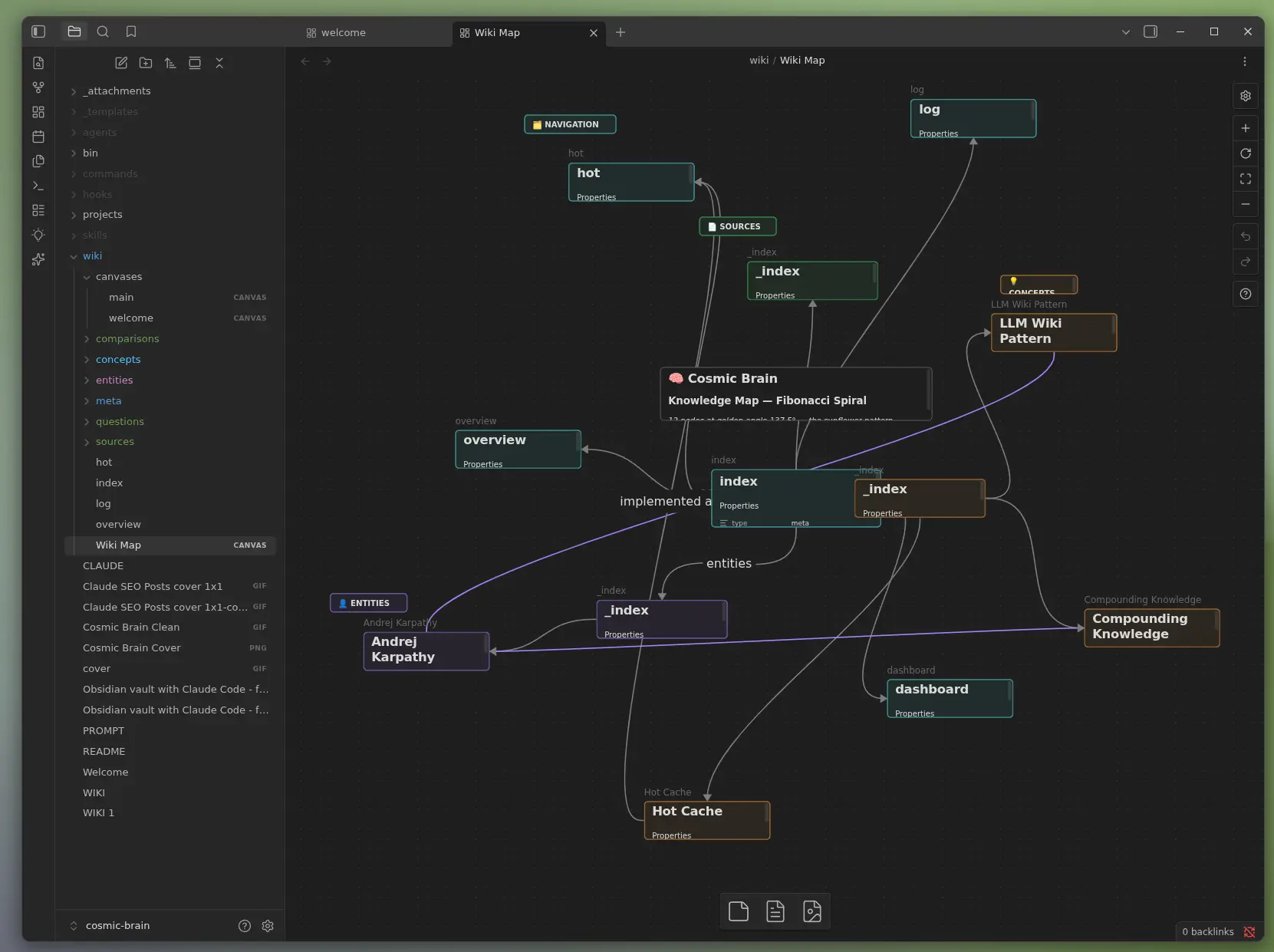
Tip 2. View the reading map as a graph You can also see the map as a graph of linked pages. Ask Claude the following.
Help me set up this map in https://obsidian.md so I can see it as a graph.The result looks like this graph. For a step-by-step version, see this guide. One-click tools can do this too. They are more convenient, but less flexible and less portable. LLM Wiki is a popular one.